
Forwarding a message
Send a captured message to a real inbox to see how Gmail or Outlook renders it, with limits on where it can go and how often.
The one thing a mailbox cannot show you is how Gmail or Outlook will actually render a message. Name a mailer that can deliver, and each message gains a Forward button:
MAILROOM_FORWARD_MAILER=smtpOpen a message, click Forward, and send it to yourself. The field starts on the real recipient, and what happens next depends on whether you change it:
| Address | What goes out |
|---|---|
| Left as it is | The stored MIME goes out byte for byte. What lands in the inbox is exactly what your application produced. |
| Changed | To is rewritten to your address and Cc dropped, with the originals preserved as X-Mailroom-Original-To and X-Mailroom-Original-Cc, so it reads naturally rather than like a misdelivery. |
NOTE
Either way only the address you chose receives anything, and the stored copy is never modified.
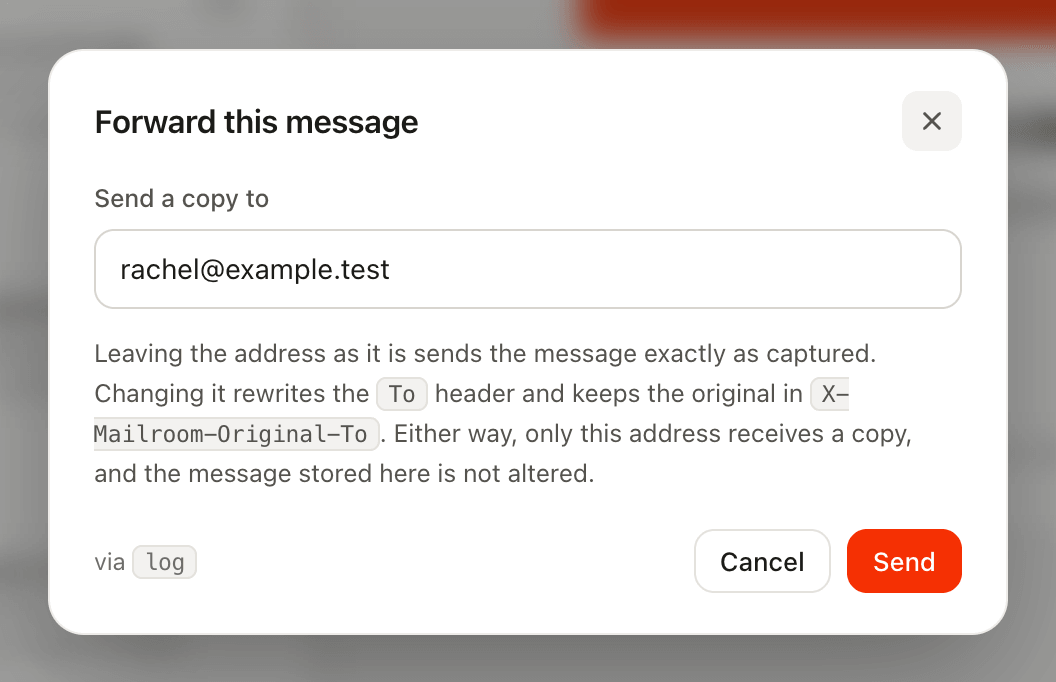
Because sending takes a deliberate click, your SMTP bill covers the handful of messages someone actually checked rather than everything the application sent.
Keeping it safe
The mailbox becomes able to send, so six things bound it:
- There is nothing to send through until you configure it. With no
forward.mailerthe route is never registered, so the button explains the setup instead of offering a form. - Outside
local, forwarding needs an authenticated user. Reading the mailbox and relaying from it are different privileges: opening the mailbox up with a permissiveMailroom::auth()callback grants reading, not sending. SetMAILROOM_FORWARD_REQUIRE_AUTH=falseto accept that anyone who can open the mailbox can send through it. - Sending asks first, naming the address, since the field is pre-filled with a real customer's.
- A Mailroom mailer is refused as the destination. It would capture the message again instead of delivering it, leaving you waiting for mail that was never going to arrive.
- You can bound where mail may go.
MAILROOM_FORWARD_ALLOWEDtakes a comma-separated list of whole addresses, or@domainto permit everyone there. Empty means anywhere, which is the default. - And how often.
MAILROOM_FORWARD_RATE_LIMITcaps forwards per minute, counted per signed-in user and otherwise per IP. Ten by default;nullremoves the ceiling.
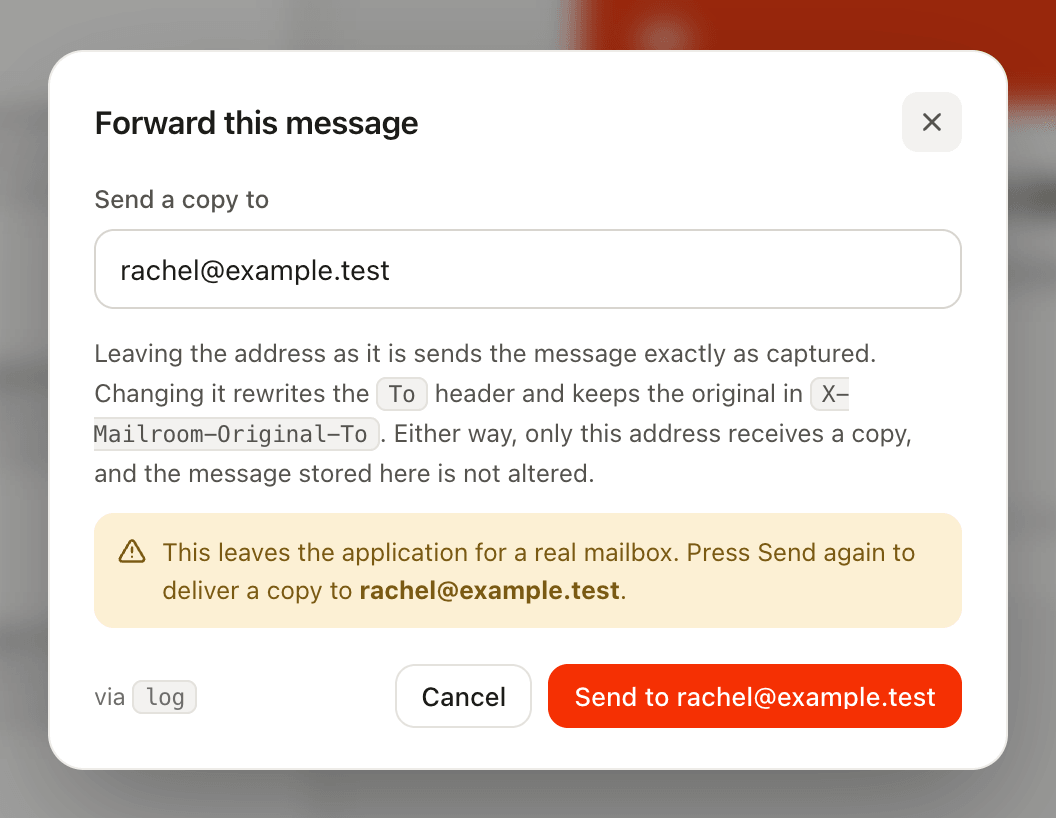
On a staging box several people share, those last two are what turn a send button into a bounded one:
MAILROOM_FORWARD_MAILER=smtp
MAILROOM_FORWARD_ALLOWED=@yourcompany.com
MAILROOM_FORWARD_RATE_LIMIT=10